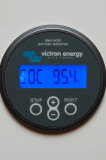
This is the SOC or State-of-charge screen. This screen is the best way to monitor the SOC of the battery with this monitor. This screen is only useful provided you have programmed the monitor correctly, it's synchronizing the way it should, and is wired properly. This readout calculates the amount of energy available in the battery and is Peukert & CEF / Charge Efficiency & capacity corrected. The screen ranges from 0% = dead to 100% = full.
Counting amp hours is ok but is most often not an accurate reflection of the true state of charge of the battery. For example if the battery is drawn down heavily & at a high rate of current you will get less usable Ah's than its rating. If drawn slower than the 20 hour rating you can get more Ah's out of it. The SOC screen corrects for the Peukert exponent and CEF the Ah screen does not.
Please take the time to read the manual for these monitors as they are generally more difficult to program and master than the actual installation!
To keep your monitor accurate:
*Wire it correctly
*Program an accurate Peukert exponent for the bank
*Program an ACCURATE Ah capacity for your bank
*Program an accurate charge efficiency
*Turn OFF or program around AUTO-SYNCH
*Use MANUAL "KNOWN-FULL" resets
*Reset as often as possible when KNOWN FULL
*Each year find your new 20 hour Ah capacity or reduce capacity
IMPORTANT NOTE: Reserve Capacity, Reserve Minutes or an RC rating are NOT the 20 hour Ah capacity!!!
IMPORTANT NOTE: Most HEALTHY flooded lead acid batteries need 115% or more charge put back in, compared to what you took out. This means a charge efficiency of 85% is going to be more accurate than 90%. Check with your battery manufacturer to get the most accurate CEF number you can get.